Community-driven trading platform
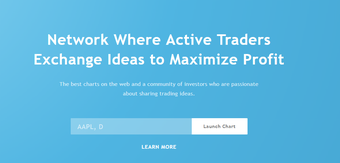
TradingView is a free productivity web app that allows its community of users to share, exchange, and discuss their trading ideas. It combines the features of an online trading forum and a digital stock trading platform, equipping its users with a variety of tools to help them assess their prospects and diversify their investments.
Top Recommended Alternative
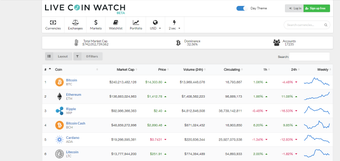
Its capability to handle both traditional stocks and cryptocurrencies makes TradingView one of the most versatile platforms available. It combines the power you can expect from Live Coin Watch or CoinGecko. Furthermore, this platform allows traders of different skill levels to optimize its features through different subscription plans.
A platform for every trader
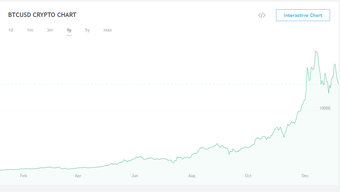
As mentioned, TradingView boasts a wide range of charting tools that will allow trades of different skill levels to accurately visualize the data they need. While its charts look simple at first glance, the platform actually allows you to “zoom in” and see specific points of interest regarding a particular asset. Most of its visualizations come with a “Full-Featured Chart” view that shows relevant data in greater detail.
Additionally, the platform allows you to manually search for the stock or cryptocurrency you need or use its wide range of “screeners” that help filter down your search. For starters, users can choose between Stocks, Foreign Exchange (Forex), and Cryptocurrencies. There are other layers of screeners that further narrow down your search such as the country where the targeted asset is based, market capitalization ranges, and even technical indicators if you’re looking for a certain pattern or trend.
Lastly, it helps users to stay on top of their diversifying portfolio. With its Server-Side Alerts, you just set a specific alarm for each of your assets, which saves you the stress of having to manually monitor each of them every now and then. This feature is also highly configurable in terms of frequency, the range of price at which alarms are triggered, and the integration possibilities. The last one lets you automate certain processes although it requires certain skills in third-party app development.
Driven by the community
One important distinction to make with TradingView is that it’s not a trading platform in and of itself. Instead, it allows you to monitor your assets with the actual trading facilitated by its list of international brokers. The same goes for some of its specialized capabilities, these are driven by third-party developers and are not immediately accessible through the platform. You may need to integrate it yourself or pay someone else to do so.
Lastly, while the app is initially free-to-use, it is limited to the most basic applications such as the generalized time graphs and other integration options. This free version, however, is more of a trial experience that allows new users to check out what the platform can actually do. More features, indicators, and server-side alerts are made available as you subscribe to its increasingly larger plans: Pro, Pro+, and Premium.
A paying investment
Whether you’re new to the world of trading–stocks, Forex, or crypto–or an experienced trader looking for a more convenient platform, TradingView remains a viable option. It has a lot of features that allow you to view your asset of choice in greater detail. The platform also saves you the troublesome task of having to view and assess each of your investments with its highly configurable alerts.